
AI Avatars for Training:
What’s New in Articulate 360 AI
27 October 2026
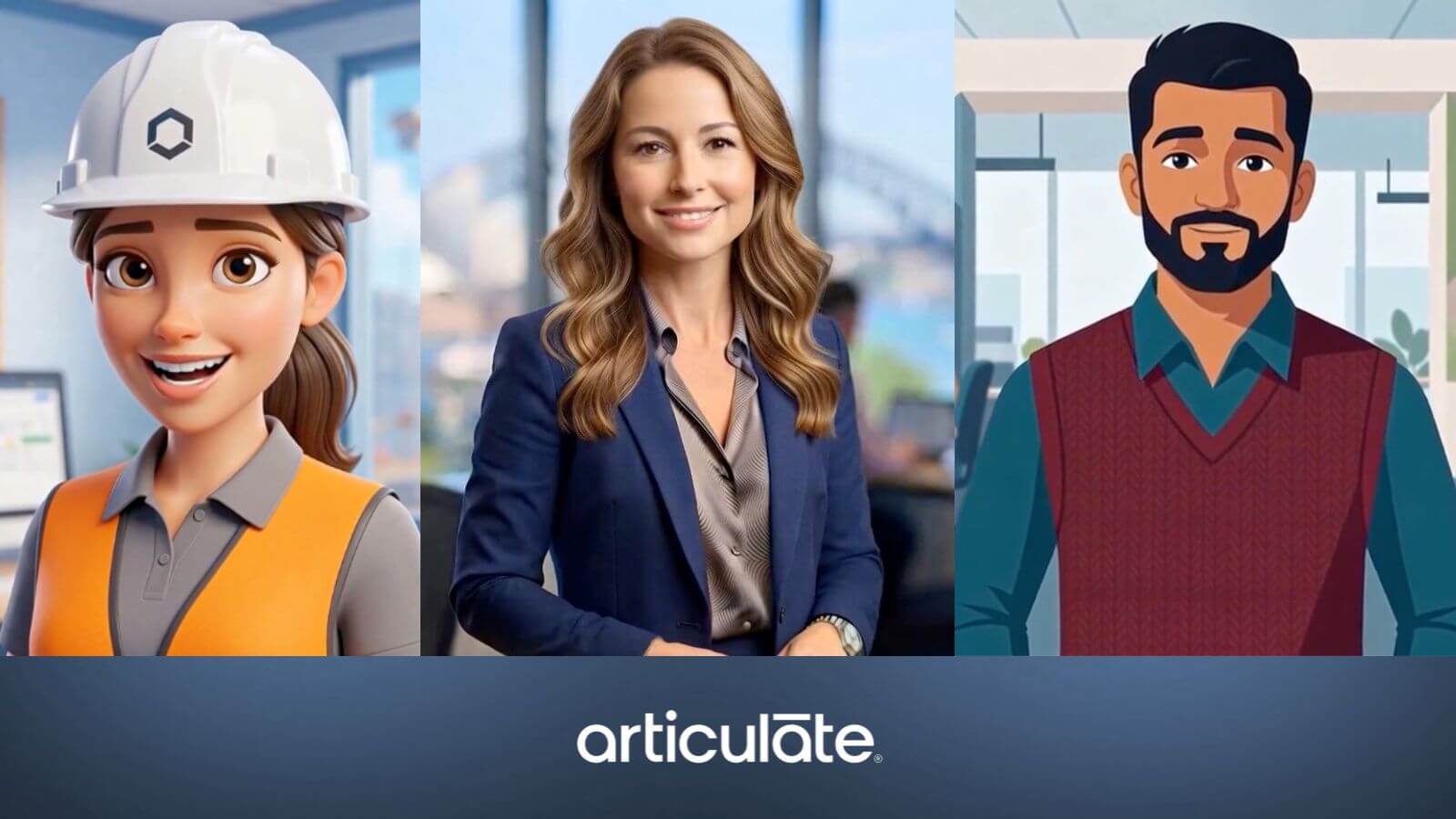
An AI avatar is an AI-generated on-screen presenter that delivers a script as video. Instead of booking a presenter, a studio and a day of recording, you choose or create a character, pick a voice, write the script and generate the video. In Articulate 360, AI avatars are part of Nova, the AI agent built into the platform, so they sit alongside the course authoring tools your team already uses.
AI avatars are now a practical option for workplace learning. Articulate has announced an upgrade to its AI avatars that its community team describes as faster, better and more expressive, and Nova has been available in every eligible Articulate 360 account since 10 September 2026, with gifted credits included. For L&D, HR and enablement teams across Australia and New Zealand, that means presenter-led training can be produced and updated in house. This guide explains what AI avatars are, where they help, how to create one and how to use them responsibly.
What Are AI Avatars in Articulate 360 AI?
AI avatars and Nova
Articulate describes Nova as an integrated AI agent for learning, and it is not a separate product or another place to work. Nova powers AI avatar videos, multi-format translation and, in Frontline, training kit generation. Articulate 360 AI includes Rise 360, Storyline 360, Review and Reach, and the more advanced Nova capabilities run on credits.
Where you can create them
In Storyline 360, you add an avatar to a slide. In Rise 360, you add one from the AI blocks in the Block Library. The core workflow is similar in both: choose a character, set the voice and script, then generate the video. Your subscription needs to include AI, so it is worth checking exactly what your current plan covers before you scope a project.
What the latest upgrade brings
Articulate’s latest AI Avatar upgrade makes it faster and easier to create presenter-led training videos:
- Up to 10× faster video generation, helping you move from script to finished video sooner.
- Cleaner, more cinematic shots and steadier characters for a more polished result.
- More natural-sounding voiceovers with an improved voice model.
- Greater control over delivery, with audio tags to guide how your presenter delivers the script.
Choose a character or design your own, add your script and bring your presenter to life—no recording required. AI avatar videos use Nova credits.
Why AI Avatars Matter for ANZ Learning Teams
Articulate reports that more than 90% of customers using AI in Articulate 360 say it helps them create courses faster. That figure covers AI features generally rather than avatars alone, but it reflects where learning production is heading. For ANZ teams that are often small and stretched across many projects, avatars address three practical problems.
Skip the studio and the re-recording
Traditional presenter-led video requires scheduling, a location, equipment and editing. Updates can mean additional filming and production work. With an AI avatar, as Articulate puts it, you can just edit the text, with no re-recording required. That puts video within reach of teams that previously relied on slides and text alone.
Keep training current
Policies, products and processes change. When the script is the source of truth, updating a video means editing the script and regenerating it rather than rebooking a presenter. This suits compliance and software training, where accuracy over time matters most.
Reach distributed teams
Many Australian and New Zealand organisations run across multiple sites, states and time zones, often with frontline staff who do not sit at a desk. A consistent presenter-led video gives every learner the same message. Nova’s multi-format translation covers 80+ languages, so confirm that the languages you need are supported before you plan a multilingual rollout.
Practical Use Cases for AI Avatars
AI avatars work best for short, scripted messages that need to be consistent and easy to update. These four use cases are a good place to start.
Organisations building sales training can also explore MicroWay’s sales training solutions to see how Articulate 360 can support scalable enablement programs.
Onboarding welcomes and role introductions
A short welcome from a consistent presenter sets expectations on day one, introduces key systems and points new starters to their next step. Because the video is easy to update, you can refresh it as teams, tools and processes change instead of letting it quietly go out of date.
Compliance and policy updates
For annual refreshers or sudden policy changes, an avatar can present the key message clearly, followed by a knowledge check in Rise 360 or a scenario in Storyline 360. Keep any legal wording on screen or in the course itself, and have your compliance team approve the script before it is generated.
Software and process training
Introduce a new system or workflow with a presenter-led overview, then move to screen recordings or software simulations. The avatar handles the “why this matters” and the simulation handles the “how”, so learners get context before they practise.
Sales enablement and customer service
Product updates, service standards and tips for handling common questions can be delivered as short scripted videos that teams watch between calls. Follow each video with a branching scenario in Storyline 360 so people practise what they have just heard.
How to Create an AI Avatar Video in Articulate 360
The steps below follow Articulate’s published guidance for creating avatars in Rise 360 and Storyline 360. Menu names can change as the feature develops, so treat this as a guide to the workflow.
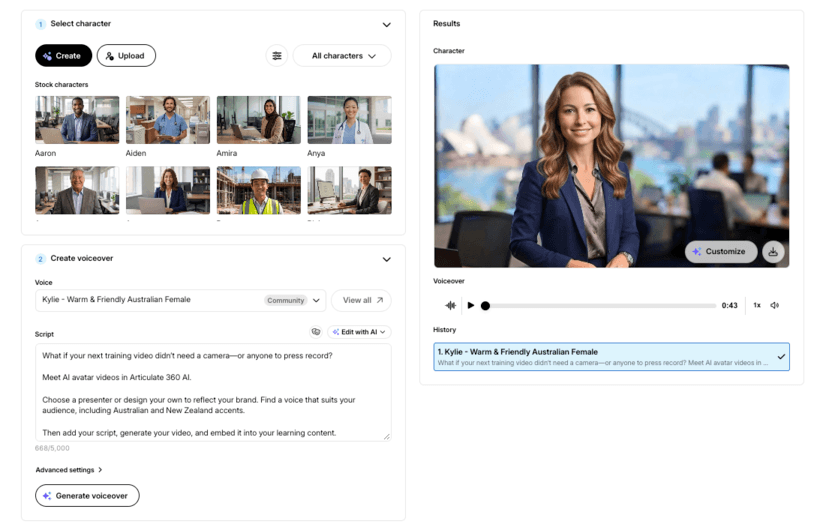
- Choose a character. Pick from the stock library and filter by style (photorealistic or illustrated), gender, age and environment, such as office, medical, construction or industry. You can also describe a character in a prompt or upload your own image (JPG, PNG or WEBP, up to 10 MB).
- Customise the look. Adjust the background, clothing or pose so the presenter suits your brand and your audience.
- Select a voice. Preview voices from the library. Stock characters come with a recommended voice, and you can browse the full library if you want something different.
- Write or generate the script. Articulate’s documentation set a limit of 5,000 characters per script during the Labs phase, and Write with AI can draft a first version for you to edit.
- Generate and review. The credit cost depends on the length of the video and is shown before you generate. Watch the result in full for accuracy and tone before you publish it.
- Edit when things change. Update the script and regenerate. Credits are used only when you regenerate, not when you open the video to edit it.
Articulate’s documentation lists a maximum video length of five minutes, with videos under two minutes giving the best results. Every eligible Articulate 360 account received 20,000 gifted credits per user, up to 100,000 per subscription, at no additional cost, so there is room to test before you plan your credit use.
Best Practices for AI Avatar Training Videos
Keep each video short and focused
Aim for one idea per video. Articulate recommends simple, single-narrator videos, and short clips are easier to review, update and place within a course.
Write for the ear
Use short sentences and plain words, and spell out acronyms the first time you use them. Read the script aloud before you generate it. If it sounds awkward to say, it will sound awkward to hear.
Build in accessibility
Add or review captions, provide a transcript where appropriate, and check accessibility in the finished course. Make sure key information is also available as on-screen text. Do not rely on the avatar alone to carry anything learners must remember or act on.
Test in your LMS before you roll out
Test your published course in your organisation’s LMS, checking video playback, captions and loading times. Run a small pilot with learners before rolling it out more widely.
Review for accuracy, consent and brand
Have a subject matter expert approve every script. If you upload an image of a real person, make sure you have their permission. Tell learners when a presenter is AI-generated, and keep the character consistent with your brand. Your use of avatars should also sit within your wider AI policy, and Articulate’s beginner’s guide to drafting an AI policy is a good place to start if you do not have one yet.
Final Takeaways
AI avatars let L&D teams produce presenter-led training without cameras, studios or re-recording, and Nova puts them inside the Articulate 360 tools teams already use. Start with one short, high-value video, review it with your subject matter experts, then build from there. Pair avatars with interactive content in Rise 360 and Storyline 360 so learners do more than watch.
Start an Articulate 360 Free Trial
Ready to try AI avatars with your own content? Start an Articulate 360 free trial and build your first presenter-led video today.
Contact Our Local Team
Need help getting started? Whether you’re looking to upgrade your subscription or learn how to make the most of AI avatars and Nova, our local experts are here to help. Book a live demo and we will walk you through them.

MicroWay Newsletter
Subscribe to stay up to date